
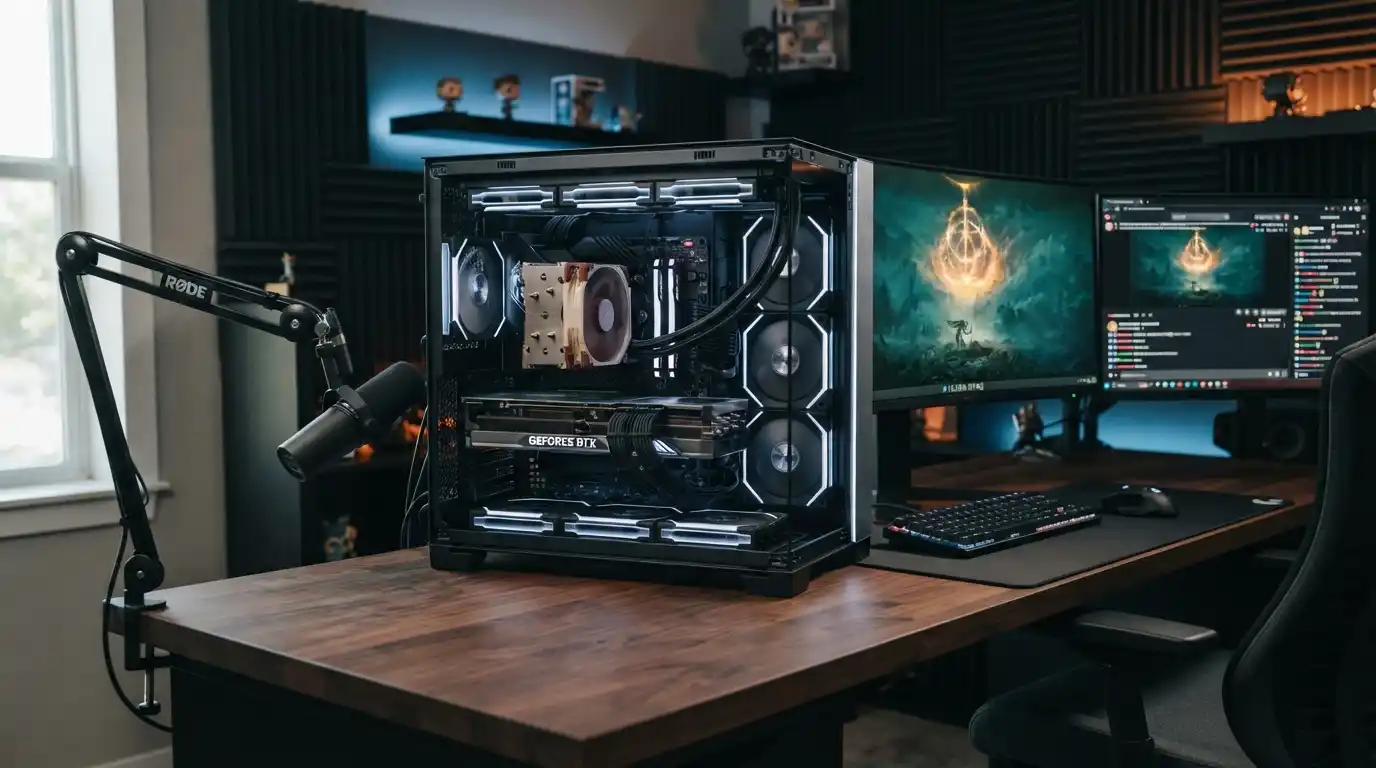
A computer that plays games smoothly but struggles when you start streaming is not a well-balanced system. Likewise, a powerful graphics card paired with inadequate cooling, weak storage, or an unreliable power supply can create problems that have nothing to do with frame rates.
This guide takes a practical approach to building a gaming and streaming PC. Instead of focusing on flashy specifications or unnecessary upgrades, it explains how the major components work together, where you should spend your money, and which common mistakes can make an expensive build disappointing.
What Makes a Good Gaming and Streaming PC?
A gaming and streaming computer has two major workloads happening at the same time. The game needs resources for rendering graphics, physics, artificial intelligence, and other real-time calculations. Streaming adds video capture, encoding, audio processing, browser sources, alerts, chat applications, and potentially recording.
That means you should not build around gaming performance alone. A good system should have enough processing capability for the games you play, sufficient graphics performance for your target resolution, enough memory for multitasking, fast storage, dependable cooling, and a power supply capable of handling the complete system.
If you are new to PC hardware, it can also help to understand the basics of computer networks. Streaming quality depends not only on the PC but also on the network connection between your system and the streaming platform.
Start With Your Actual Gaming and Streaming Goals
Before choosing individual components, decide what you actually want the computer to do.
Ask yourself:
- What games do you primarily play?
- Are you targeting 1080p, 1440p, or 4K gaming?
- Do you want high refresh-rate gaming?
- Will you stream occasionally or several times per week?
- Do you also record gameplay?
- Will you edit videos after streaming?
- How many applications will run alongside the game?
- How long do you want the system to remain useful?
Your answers determine where your budget should go. Someone playing esports titles at 1080p has very different requirements from someone playing demanding games at high resolution while streaming and recording simultaneously.
CPU: The Foundation of the Build
The CPU handles many of the calculations required by games, applications, streaming software, background services, and operating-system tasks. For a gaming and streaming system, you want strong gaming performance without sacrificing enough multi-tasking capability to handle your streaming workflow.
One common mistake is assuming that the processor with the highest core count is automatically the best choice. Core count matters, but so do architecture, clock behavior, cache, power consumption, platform compatibility, and the actual applications you use.
A sensible CPU choice should match the graphics card and your gaming resolution. Buying an extremely powerful processor while pairing it with an entry-level GPU can leave money sitting where it produces little practical benefit.
What to Look for in a CPU
- Strong single-threaded performance for gaming.
- Enough cores and threads for streaming and multitasking.
- A platform with a useful upgrade path.
- Reasonable power consumption for your cooling solution.
- Compatibility with the selected motherboard and memory.
GPU: The Component Gamers Notice First
The graphics card usually has the biggest direct influence on gaming performance, particularly when playing at higher resolutions or using demanding visual settings.
For streamers, however, the GPU can have another important role. Modern graphics hardware can provide dedicated video encoding capabilities, allowing streaming workloads to be handled without placing all the encoding pressure on the CPU.
This is why choosing a balanced graphics card can be more useful than simply buying the most expensive card available. Your target resolution, refresh rate, game library, visual settings, and streaming requirements should determine the class of GPU you need.
If you are researching new hardware before starting your build, our guide to upcoming gadgets and technology launches can provide additional context about how new hardware categories evolve.
How Much RAM Do You Need?
Memory becomes particularly important when gaming and streaming happen simultaneously. The game itself consumes memory while your operating system, streaming software, browser tabs, chat applications, music, overlays, and other utilities compete for available capacity.
For a modern gaming and streaming computer, choosing a comfortable amount of RAM is generally more useful than obsessing over tiny differences in memory speed.
RAM Buying Priorities
- Choose enough capacity for your games and applications.
- Use a matched memory configuration when supported.
- Check motherboard compatibility before purchasing.
- Do not sacrifice capacity simply for extremely aggressive memory timings.
- Leave room for future expansion when practical.
Memory speed can influence performance in some workloads, but a balanced system with sufficient RAM is usually preferable to a system with extremely fast memory but inadequate capacity.
Storage: Stop Treating It as an Afterthought
Storage affects operating-system responsiveness, game installation, application loading, file transfers, recordings, and video-production workflows. A gaming and streaming PC can consume storage surprisingly quickly.
Modern solid-state storage is particularly useful because large games and applications benefit from faster access times. Streamers should also think about where recordings will be stored. High-quality recordings can consume substantial space over time.
A Practical Storage Strategy
If your budget allows, consider separating operating-system and application workloads from large recording libraries. You do not necessarily need multiple drives, but organizing storage intelligently can make maintenance easier.
Keep your most frequently used applications and games on fast storage, while older recordings and archived projects can be moved to larger-capacity storage when appropriate.
Motherboard: More Than a Place to Install Components
The motherboard determines which CPU you can use, what type of memory is supported, how many storage devices can be installed, what connectivity options are available, and how much room you have for future expansion.
Do not choose a motherboard solely because it looks attractive or has extensive RGB lighting. Focus on the features you will actually use.
Check These Motherboard Features
- CPU socket and chipset compatibility.
- Memory support and maximum capacity.
- Number and type of M.2 storage slots.
- USB connectivity.
- Networking features.
- Expansion slots.
- Audio capabilities.
- BIOS and firmware support.
- Power-delivery design.
Connectivity matters even more if your setup includes capture devices, microphones, external storage, controllers, webcams, and multiple displays.
Power Supply: Never Cheap Out Here
The power supply is one of the least exciting components to shop for and one of the most important components to get right.
Do not select a power supply simply because it has a huge wattage number. A quality unit with appropriate capacity is preferable to a questionable unit with an impressive specification printed on the box.
Calculate the expected system demand, consider transient power requirements, and leave reasonable headroom. You should also verify that the power supply includes the connectors required by your selected graphics card and other components.
A reliable power supply protects the stability of the entire system and gives you a better foundation for future upgrades.
Cooling: Performance Depends on Heat Management
A powerful CPU and GPU generate heat. If that heat cannot leave the case efficiently, temperatures can rise, fans can become noisy, and sustained performance can suffer.
Cooling is not simply about buying the largest cooler available. It is about matching the cooler to the processor, providing adequate case airflow, installing fans correctly, and keeping dust under control.
Air Cooling vs. Liquid Cooling
A good air cooler can provide excellent results without the additional pump and radiator complexity of liquid cooling. AIO liquid cooling can make sense for certain high-performance processors or builds where radiator placement and aesthetics are important.
Neither approach automatically makes a PC better. Choose based on your CPU, case, noise preferences, budget, and maintenance expectations.
Choose the Case for Airflow, Not RGB
A case should protect your components while giving them enough room to breathe. A beautiful case with restricted airflow can become a frustrating enclosure for a high-performance gaming system.
Look for:
- Good front or bottom air intake.
- Effective exhaust airflow.
- Enough space for the graphics card.
- CPU cooler clearance.
- Radiator compatibility if required.
- Convenient cable-management space.
- Accessible dust filters.
- Enough room for your storage and expansion requirements.
RGB lighting can make a setup look great, but it does not increase frame rates. Prioritize thermal performance first.
Do Not Forget the Monitor
A powerful PC deserves a display that can actually show what the hardware is producing. Your monitor should match your graphics performance and preferred resolution.
Think about resolution, refresh rate, response behavior, panel characteristics, adaptive synchronization, connectivity, and physical size.
If you are building a complete setup rather than only the tower, also consider the broader range of gadgets that fit your budget. A sensible allocation across the complete setup can be better than spending nearly everything on the PC itself.
Keyboard, Mouse, Headset, and Other Peripherals
Streaming and gaming are not purely visual experiences. Your keyboard, mouse, headset, microphone, webcam, and other peripherals can have a major effect on comfort and usability.
For example, a good microphone can make a larger difference to perceived stream quality than another minor internal hardware upgrade. Likewise, an uncomfortable mouse or keyboard can become a serious problem during long gaming sessions.
Readers interested in computer peripherals can also explore our guide to technology keyboards before finalizing a desk setup.
Internet Connection Matters More Than Many Builders Expect
You can build an extremely powerful PC and still have a poor streaming experience if your network connection is unreliable.
Streaming depends on consistent upload performance and low enough latency for the workflow you are using. Online gaming introduces another network-sensitive workload at the same time.
Whenever possible, a wired Ethernet connection can provide a more consistent connection than relying on a congested wireless network.
Understanding concepts such as latency, bandwidth, packet loss, and network congestion is useful. Our detailed guide to computer networks covers these fundamentals in greater depth.
Streaming Software and the Rest of Your Workflow
The PC is only one part of the streaming system. Your software configuration also matters.
A typical setup may include:
- Streaming or broadcasting software.
- Game capture.
- Webcam input.
- Microphone processing.
- Alerts and overlays.
- Chat applications.
- Browser sources.
- Local recording.
- Video editing software.
Running all of these simultaneously is why system balance matters. A machine that performs perfectly with only a game running may behave very differently once recording, browser tabs, voice communication, and streaming tools are added.
Do You Need a Capture Card?
Not every PC streamer needs a dedicated capture card. If you are streaming games directly from the same PC, software-based capture and modern hardware encoding may be enough for your workflow.
A capture card becomes more relevant when you want to capture another device, such as a console or second computer. In those situations, it can become an important part of the overall production setup.
Building the PC: Compatibility Comes First
Buying individual components is easy. Making them work together is the real challenge.
Before ordering anything, verify:
- CPU and motherboard compatibility.
- Motherboard and RAM compatibility.
- CPU cooler socket support.
- Cooler height and case clearance.
- Graphics card length and thickness.
- Power supply capacity and connectors.
- Storage interface compatibility.
- Number of available expansion slots.
- Monitor connection requirements.
- Operating-system and driver requirements.
A few minutes of compatibility checking can prevent hours of troubleshooting later.
Common Gaming PC Building Mistakes
Spending Too Much on One Component
A flagship component cannot compensate for weaknesses elsewhere. A balanced system normally provides a better overall experience.
Ignoring the Power Supply
Saving money on a low-quality power supply is one of the wrong places to cut the budget.
Buying Too Little Storage
Games, recordings, updates, and creative projects can fill a drive quickly. Plan for your actual usage rather than today’s free space.
Choosing a Case With Poor Airflow
A restrictive case can undermine otherwise excellent hardware.
Forgetting About the Network
Streaming quality is not determined by CPU and GPU performance alone.
Buying Hardware for Marketing Numbers
Higher numbers do not automatically translate into better real-world performance. Look at how the complete system will be used.
How to Make a Gaming and Streaming PC More Future-Ready
No PC is permanently future-proof. New processors, graphics cards, interfaces, games, and software requirements will continue to appear.
Instead of trying to predict everything, build a system with sensible upgrade flexibility.
Leave enough storage capacity, choose a motherboard with useful expansion options, avoid an unnecessarily restrictive case, and use a quality power supply with reasonable headroom.
It can also be useful to follow broader technology developments and innovations so you understand which hardware trends are actually relevant to your needs.
Testing Your New PC
Do not assume the build is finished the moment Windows starts.
Test the system methodically. Check temperatures, memory stability, storage health, graphics performance, network stability, audio input, webcam operation, and streaming behavior.
Run the games you actually intend to play instead of relying entirely on synthetic benchmarks. Then test the system while streaming because this is where weaknesses in the configuration may become obvious.
For readers interested in broader hardware and usability testing, our guide to devices that need responsive testing provides additional context about evaluating technology across different environments.
Should You Build or Buy a Prebuilt PC?
Building your own PC provides control over component selection and gives you a better understanding of how the system works. It can also make future upgrades and troubleshooting more approachable.
A prebuilt system, on the other hand, can save time and reduce the assembly process. It may be appropriate for someone who wants to start gaming quickly or simply does not enjoy hardware installation.
Neither approach eliminates the need to understand what you are buying. A prebuilt PC still needs adequate cooling, a sensible power supply, sufficient memory, suitable storage, and hardware appropriate for your games and streaming requirements.
Who Should Build a Gaming and Streaming PC?
DIY building makes the most sense for people who want control over their components and are willing to spend time learning how the hardware fits together.
It is also useful for creators who have specific requirements that generic systems may not address, such as multiple storage drives, specialized audio equipment, additional expansion cards, or unusual display configurations.
If your priority is convenience and you have little interest in troubleshooting hardware, a carefully selected prebuilt machine may be more appropriate.
Frequently Asked Questions
What is the most important component for a gaming and streaming PC?
There is no single component that determines the quality of the entire system. CPU, GPU, memory, storage, cooling, networking, and power delivery all contribute to the final experience.
Is 32GB of RAM enough for gaming and streaming?
For many gaming and streaming workflows, 32GB provides comfortable capacity for running a game alongside streaming software and other applications. Your actual requirements depend on the games, applications, mods, recording workflow, and multitasking habits.
Do streamers need an expensive CPU?
Not necessarily. The right CPU depends on your games, streaming method, encoding approach, recording requirements, and other workloads. A balanced processor can be more useful than simply buying the most expensive model available.
Does a better GPU improve streaming?
A capable modern GPU can contribute to streaming through hardware video encoding as well as improving game rendering performance. The exact benefit depends on the GPU, software configuration, game, and streaming settings.
How much storage does a streaming PC need?
There is no universal number. Games and applications can consume substantial space, while high-quality recordings can consume even more. If you record frequently, plan your storage around your expected recording volume rather than only your game library.
Is liquid cooling necessary for a gaming PC?
No. A suitable air cooler can be sufficient for many systems. Liquid cooling is an option rather than a requirement and should be selected according to the CPU, case, noise preferences, budget, and overall build design.
Should I use Wi-Fi or Ethernet for streaming?
A wired Ethernet connection is often preferable when consistent network performance is important. Wi-Fi can work well, but its reliability depends heavily on the wireless environment, distance, interference, and network equipment.
Final Verdict: Build for Balance, Not Hype
The brutally honest truth about building a gaming and streaming PC is that there is no magic component that solves every problem. A successful system comes from making sensible decisions across the entire build.
Choose the CPU according to your workload. Match the GPU to your target resolution and games. Install enough RAM for your multitasking needs. Use fast and adequately sized storage. Select a reliable motherboard and power supply. Give the system proper cooling and airflow. Then make sure your network, monitor, microphone, and other peripherals are capable of supporting the experience you want.
Do not spend money simply because a specification looks impressive. Spend it where it improves your actual workload.
The best gaming and streaming PC is not necessarily the most expensive one. It is the system in which the major components work together without obvious bottlenecks, unnecessary compromises, or wasted budget.
If you approach the build with that mindset, you can create a machine that delivers strong gaming performance, dependable streaming, useful upgrade flexibility, and a much better experience long after the RGB lights stop looking exciting.